Datplan vs CData
Prepared accounting data and reconciliation versus Import/DirectQuery connectivity.
Compare CData →Xero to Power BI in 2026
Pull authorised Xero data into your Windows environment, prepare accounting facts and dimensions, then refresh Power BI from stable files. Datplan is designed for scheduled, reviewable reporting—not live DirectQuery.
Reviewed and updated 6 September 2026
Authorise the correct Xero organisation in Datplan, run and review the source pull, export the supported reporting tables to a stable folder, then connect Power BI to those files. On later runs Datplan updates the same file set; Power BI refresh is a separate step.
Real product workflow
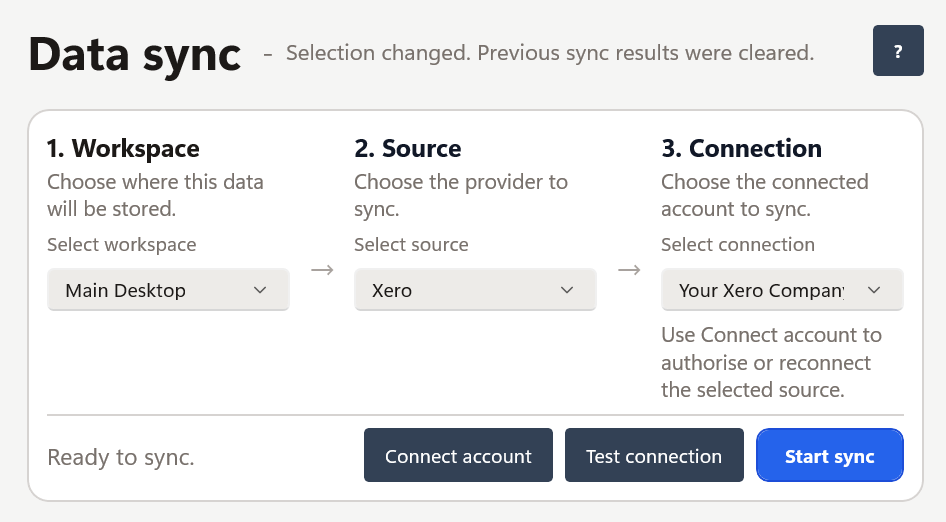
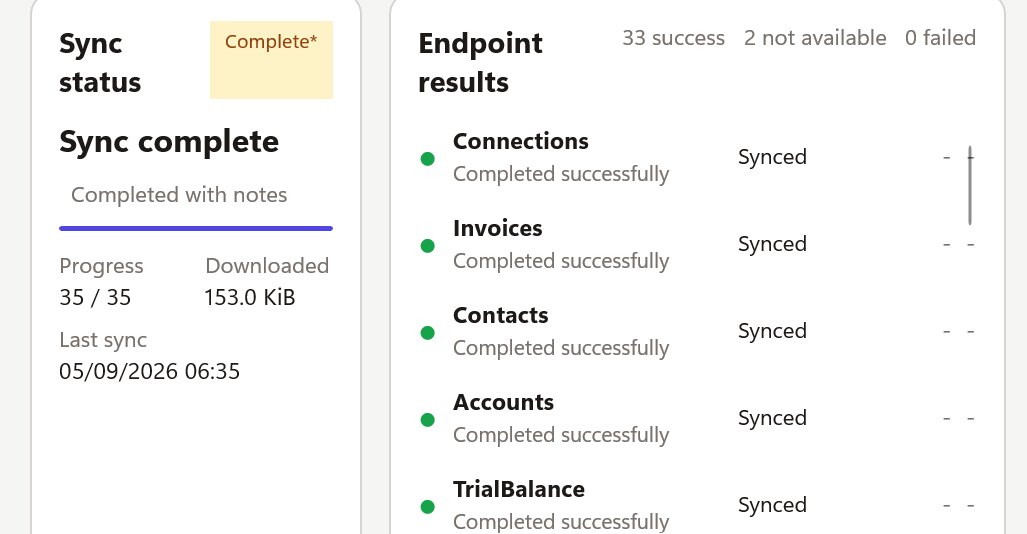
These screenshots are from Datplan itself. They show the source/connection selection and one completed Xero pull before any downstream modelling.
Choose the architecture first
The right choice depends on whether you need live query, managed cloud infrastructure, custom engineering control or a scheduled local reporting copy.
| Route | Best fit | Trade-off to understand |
|---|---|---|
| Manual Excel or CSV exports | One-off analysis and occasional reports | Simple, but repeated downloading and cleanup becomes manual work. |
| Hosted/live connector | Continuously available service or DirectQuery-style requirements | Your organisation accepts another hosted service, its availability and its data-processing model. |
| Custom Xero API pipeline | Engineering teams that need complete control | You own OAuth, pagination, schema changes, monitoring, accounting mapping and reconciliation. |
| Datplan local files | Windows teams that want repeatable scheduled reporting while retaining the source dataset locally | Power BI reads prepared files; the first model and any Power BI Service gateway/storage route remain your responsibility. |
Datplan does not present its file workflow as a native Xero Power BI connector or live DirectQuery connection.
The accounting question comes first
A connector can move rows correctly and still produce a wrong dashboard if invoice headers, lines, payments and financial-report balances are treated as interchangeable.
| Reporting question | Useful Datplan Xero grain | Common error |
|---|---|---|
| P&L or balance-sheet reporting | Financial Summary | Trying to recreate reported financial statements by summing invoice values. |
| Account and tracking activity | Financial Activity | Using reconstructed activity as though it were the provider's reported statement total. |
| Invoice or bill totals and status | Invoice Summary | Repeating a header total after joining one invoice to several lines. |
| Item, tax or tracking detail | Invoice Lines | Using line rows for a header-level measure without controlling the aggregation. |
| Settlement timing | Payments | Treating payment timing as recognised revenue. |
Prepared reporting output
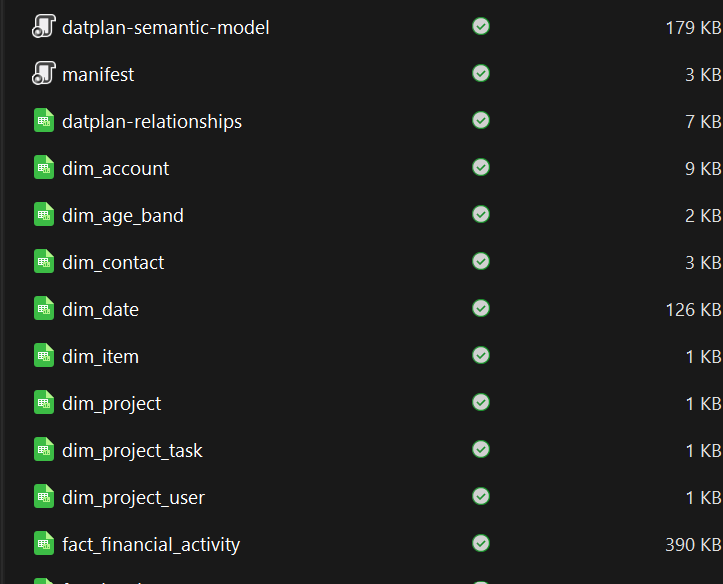
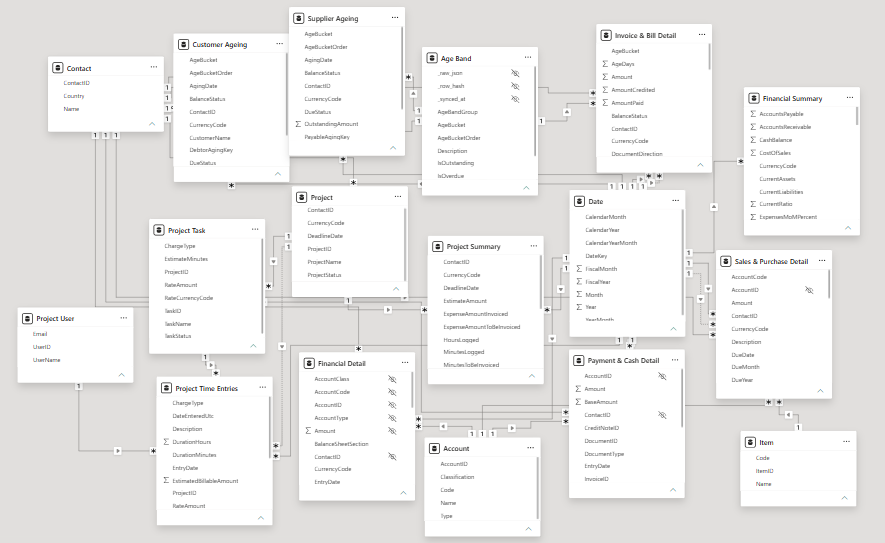
The exported reporting layer is inspectable before it reaches Power BI. The model view below shows one downstream Power BI model built from the Datplan Xero star-schema export; it is evidence of the reporting structure, not a claim of DirectQuery.
Repeatable refresh
A stale dashboard is easier to diagnose when you can see whether Xero extraction, file publication or Power BI refresh failed.
Why the old connector still matters
Microsoft announced the Xero content pack deprecation on 28 May 2019. In 2026 the practical question is no longer how to restore that content pack, but which current architecture fits the reporting requirement.
Microsoft's Xero deprecation notice → Power Query connector catalogue →
Datplan uses its own file names, reporting grains and relationship guidance. Rebuild the Power Query inputs and measures against the Datplan package, then reconcile the replacement model with Xero before retiring an earlier report.
Compare alternatives
If you are comparing Xero-to-Power BI products, the architecture matters as much as the connector list.
Prepared accounting data and reconciliation versus Import/DirectQuery connectivity.
Compare CData →Customer-controlled Windows preparation versus broad cloud data-integration automation.
Compare Coupler.io →Prepared Xero reporting data versus a live cloud OData feed.
Compare OdataLink →The Windows app is free to download and includes Datplan Demo data, so you can test sync, dashboards, reporting grains and exports first.